Advisors
A second pair of eyes on the live schema, split into security and performance, with guidance for every finding.
What it is
Advisors run a set of checks against the live database and report findings in two groups: security and performance. Each finding has a severity, a title, an explanation and remediation guidance. Findings can be dismissed and restored, and the scan can be run again on demand.
The checks come from the project's own Postgres catalog and from the advisor service the manager queries. They are recommendations, not enforcement. The database does exactly what its configuration and policies say, whether or not a finding is open.
Why you need it
A local project inherits every default from the Supabase template, including permissive settings that are convenient in development and dangerous if the project is ever reached from outside. Advisors surface those defaults next to your own schema, so a missing policy or an unindexed foreign key is visible before it becomes a habit.
Security and performance findings
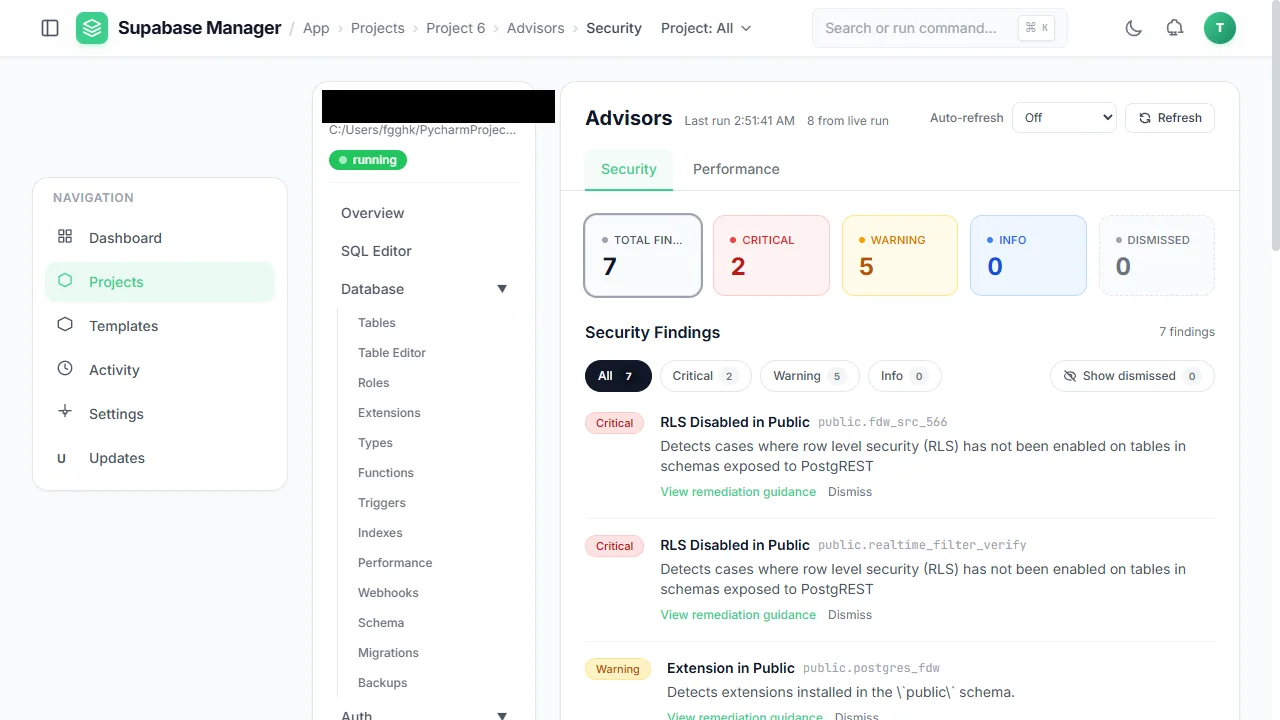
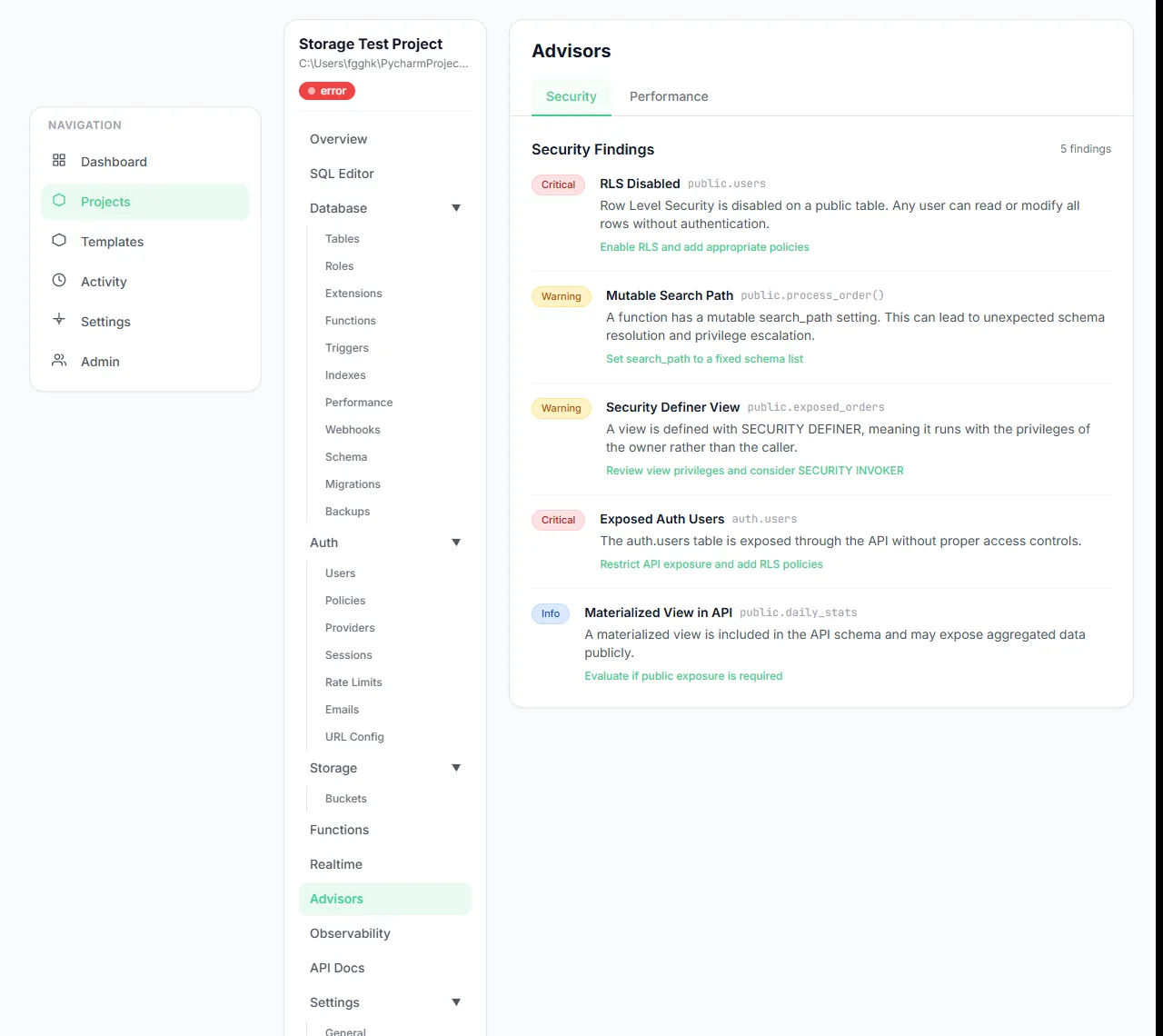
Advisors summarise security findings by severity and explain each one.
Performance findings surface optimisation opportunities.
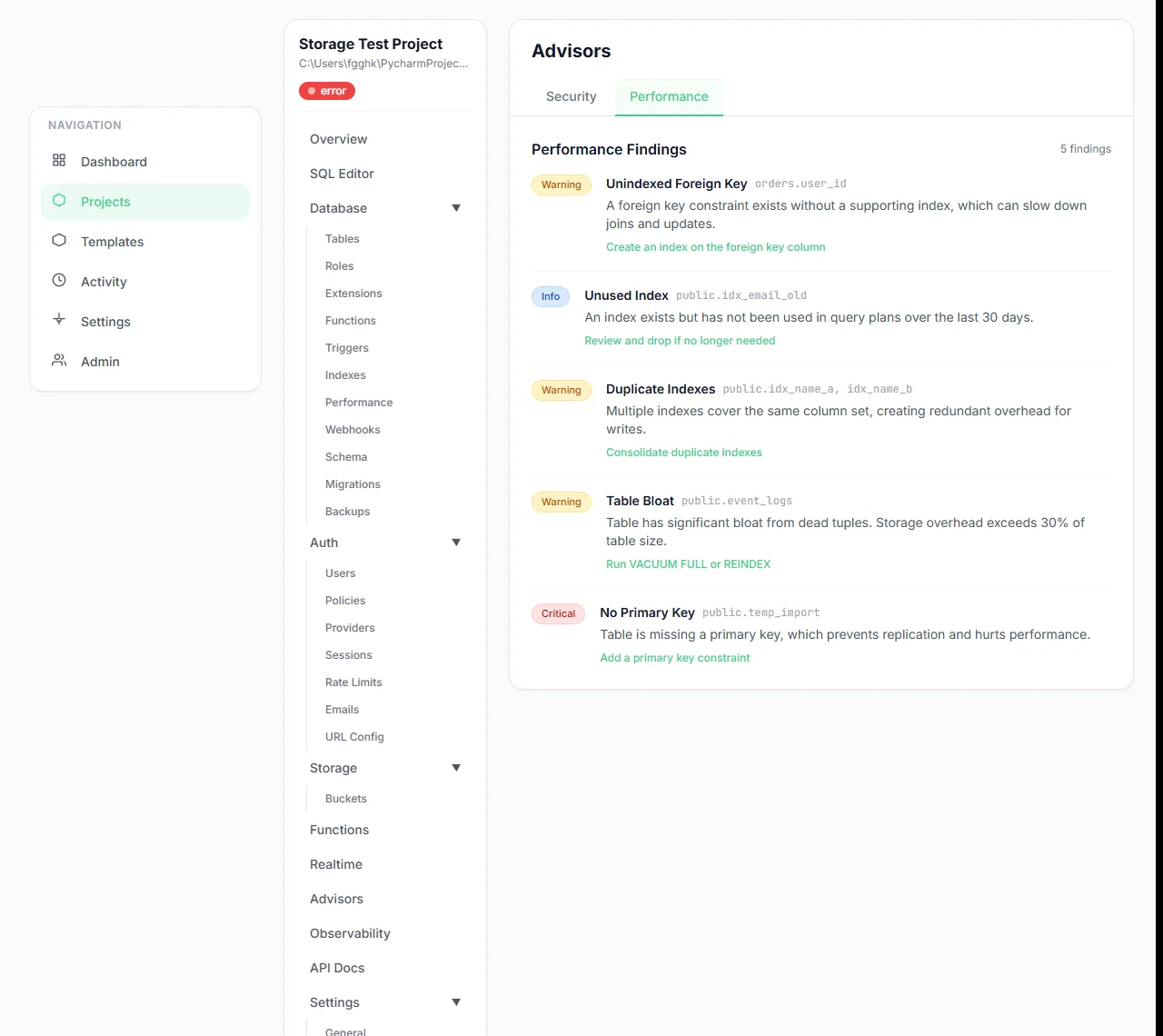
Performance findings are grouped and readable at length.
The advisors page keeps all findings in one place.
What you see
The page opens with totals by severity, then lists findings grouped by category. A security finding names the object it concerns, explains the risk and points at the change that would resolve it. A performance finding describes the cost it expects and the change that would avoid it. Dismissing a finding hides it from the default view without changing the database; restoring it brings it back.
The project overview carries a short advisor summary, so a serious finding is visible without opening the Advisors page.
How to use it
Run the advisors
Open Advisors on a running project. The scan reads the live database.
Start with security
Read the highest-severity findings first; they describe exposure, not style.
Fix in the database
Apply the recommended policy, grant, setting or index. Re-run the scan to confirm.
Dismiss consciously
Dismiss a finding only when you understand why it is acceptable here. Restore it if circumstances change.
Behaviour and limits
A scan is a snapshot. It does not watch the database, and it does not continue running in the background. A finding can disappear because the code changed, because the object was dropped, or because it was dismissed; the interface distinguishes dismissal from resolution where it can.
Advisor guidance is general. A recommendation that is correct for a production database can be inappropriate for a local test fixture, and vice versa. Treat the list as a review queue, not as a score.
Configuration
Where you see it
Advisors is a per-project route with Security and Performance tabs. A short advisor summary also appears on the project overview, so the highest-severity result is visible without opening the full list.
Working with it
Read the security tab first and start at the highest severity. A finding is a question about the database, not a verdict on the application: check the object it names, decide whether the exposure is acceptable for a local project, and change the database if it is not. Re-run the scan after the change.
Performance findings are more contextual. An unindexed foreign key matters when the table is large or the query is hot; on a small fixture it may never matter. Use the SQL workbench to measure before you add an index, and dismiss the finding only with that reasoning recorded in your own notes.
Typical tasks
- Run the advisors against a running project.
- Open a security finding and identify the object it concerns.
- Apply the recommended change and re-run the scan.
- Dismiss an accepted finding and restore it later.
Reading a finding
Each finding names the object it concerns and describes the consequence in plain terms. Read that consequence against the project's purpose: a permissive setting in a throwaway fixture and the same setting in a project that will receive real data deserve different decisions. When you accept a risk, dismiss the finding and write the reason in your own notes; the product will not remember why for you.
Re-run the scan after the fix, and do not treat a disappearance as proof if you also changed the database in other ways. The scan is a snapshot of checks, not a continuous monitor, so the honest sequence is fix, re-run, and read the same check again.
In one sentence
Advisors are a review queue for the live database: run them, read the highest severity first, fix the database, and run them again to confirm the finding is gone.