Real-time
Prove that a project's realtime service is delivering changes, without writing a throwaway client.
What it is
The Real-time page is a tester for the project's realtime service. It opens a browser WebSocket with a minted impersonation token, joins pg channel topics, inspects the frames that arrive with type filters, and can send test inserts to prove the round trip. Two additional views show the manager proxy's active WebSocket and server-sent-event streams and let you drop an SSE stream.
It is a diagnostic surface, not a second realtime server. Changes still travel through the project's own realtime service and its publication configuration.
Why you need it
Realtime failures are hard to see from the outside. A client subscribes and nothing arrives; the cause can be the channel name, the publication, the token, the policy or the proxy. A tester that shows the connection state, the frames and the proxy stream shortens that list quickly.
The WebSocket tester and connection states
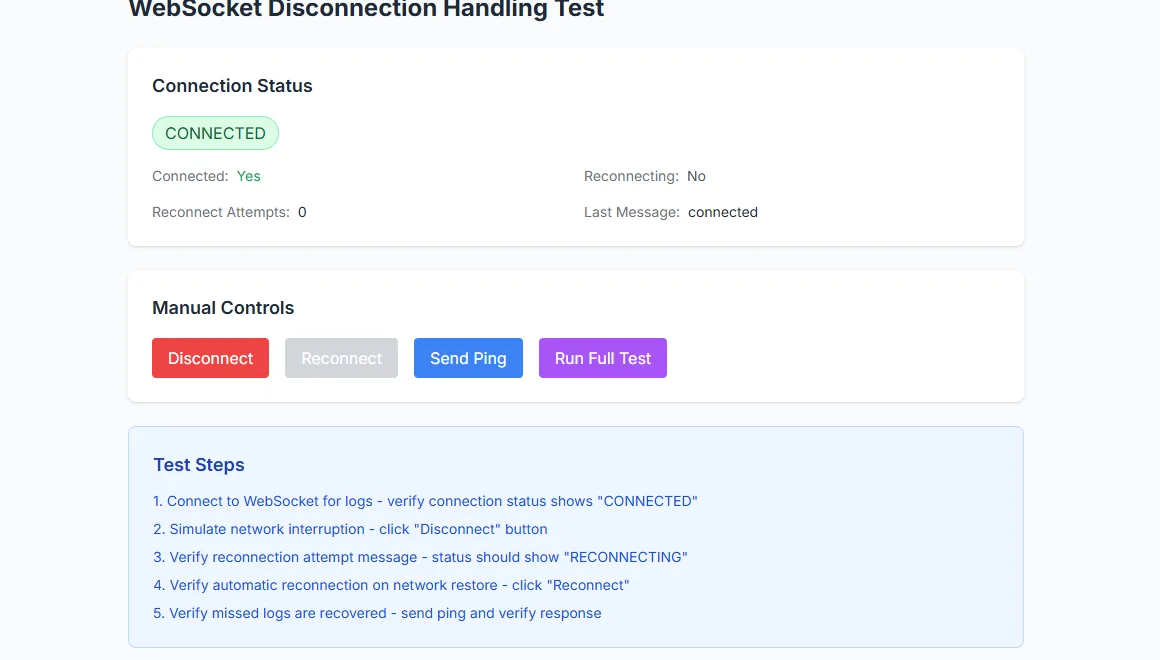
The WebSocket tester reports whether the real-time channel is live.
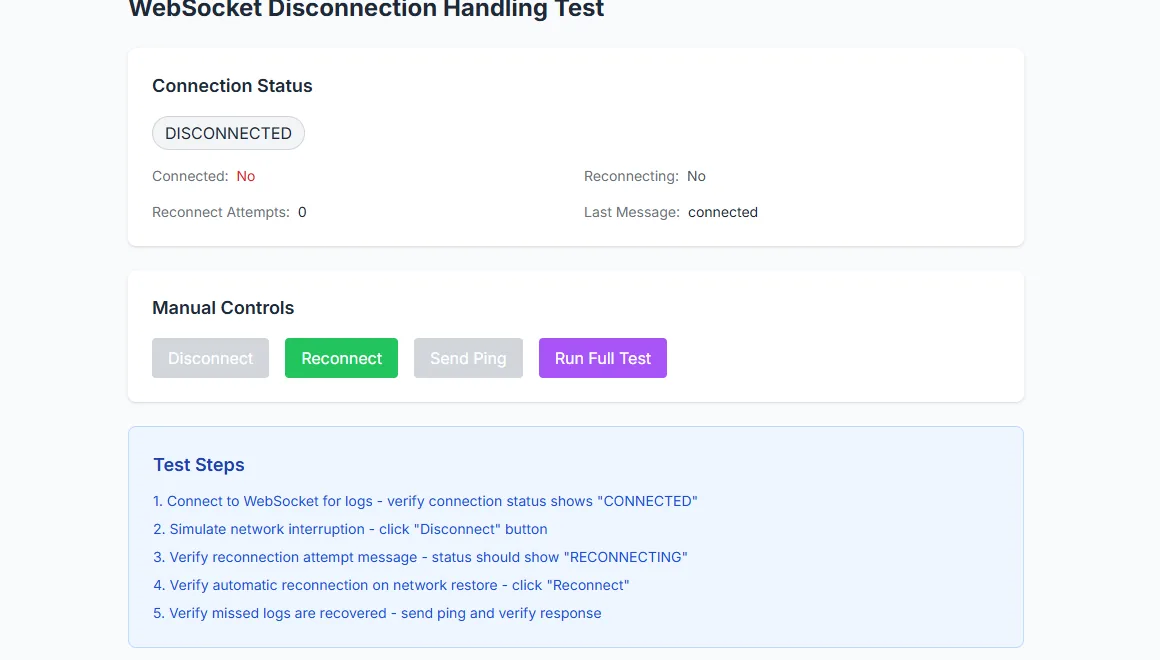
The same tester reports a dropped connection.
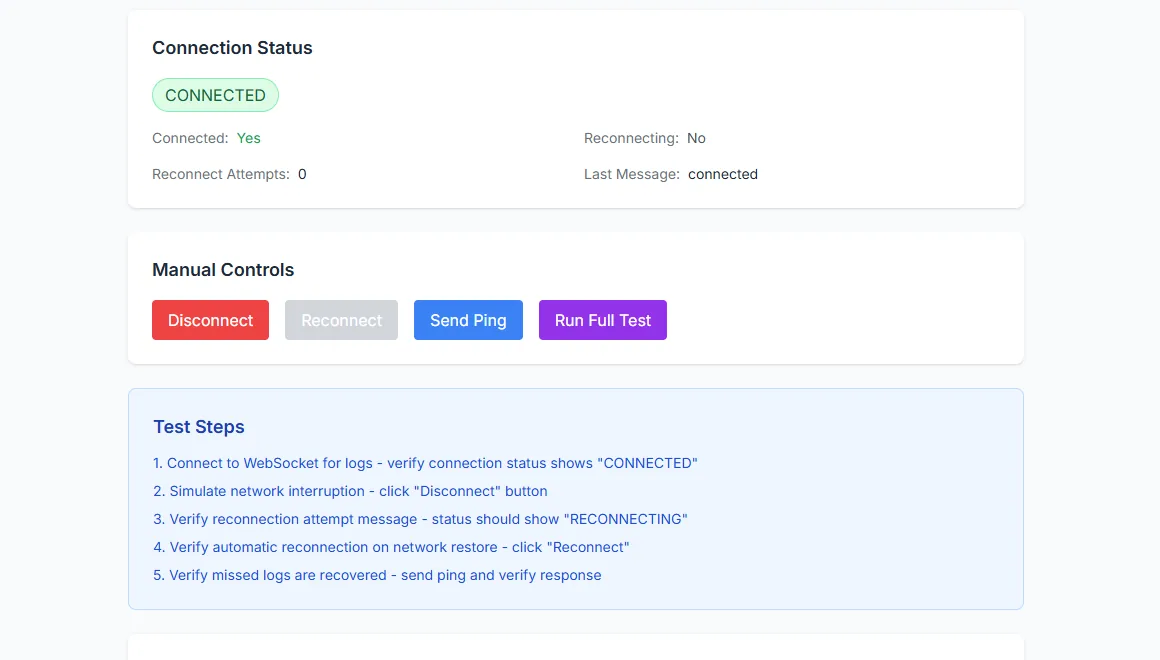
Reconnect behaviour is visible in the diagnostic panel.
What you see
The tester reports the connection state, the latency of a probe and whether reconnect attempts succeeded. Manual controls connect, disconnect and run the full test. The test steps are listed with their outcomes, so a partial failure is visible instead of being collapsed into one status. The proxy views show active streams and their metadata.
How to use it
Open Real-time
Choose the running project and open the Real-time page.
Connect
Start the connection. The tester reports whether the WebSocket opened and how long the handshake took.
Join a topic
Enter the channel topic and join it. Frames arriving for that topic appear in the inspector.
Send a probe
Send a test insert and confirm that the change is delivered back. A missing frame points at the publication or the policy.
Inspect the proxy
Use the proxy views when the client connects but the manager's stream view shows nothing.
Behaviour and limits
Realtime delivery depends on the table being in the project's publication. A table that is not published can be written to without producing a change event, and no amount of client work will fix that. The impersonation token is for testing; it is not a substitute for the application's own authentication flow.
The proxy stream views describe the manager's own connections. They are useful for diagnosing the shared entry point, not the project's internal realtime behaviour.
Configuration
Where you see it
Real-time is a per-project route with the channel tester, connection controls and proxy stream views. The project overview shows the realtime service in its health list, which tells you whether there is anything to test.
Working with it
Connect before you subscribe. A failed connection and a failed subscription are different problems, and the tester separates them. When the connection is healthy but no frames arrive, check the publication and the policy before you change the client. A table that is not published will never produce an event.
Use the test insert to prove the round trip. If the insert succeeds and the frame arrives, the stack is delivering changes and the remaining problem is in the application's subscription code. If the insert succeeds and no frame arrives, the publication is the first place to look.
Typical tasks
- Open a connection and read the reported state.
- Join a channel topic and inspect incoming frames.
- Send a test insert and confirm the change comes back.
- Disconnect and watch the reconnect behaviour.
Channels, policies and delivery
A channel topic is a name both sides agree on. Delivery also depends on the table being in the publication and on the policy allowing the subscribed role to see the change. That is why a healthy connection can still produce no frames: the transport is fine and the data is filtered out. Test with a role that should see the row, then with one that should not, and compare.
The proxy stream views are about the manager's own connections. Use them when you suspect the shared entry point rather than the project. If the browser connects directly to the project and works, but the same client through the front door does not, the difference is in the proxy path rather than in realtime itself.
In one sentence
Connect, subscribe, and send a probe; if the connection is healthy but no frame arrives, check the publication and the policy before changing the client.