The web application
The React dashboard's structure and data flow, from route families to the project shell's live status.
What it is
The web application in apps/web is a React and Vite single-page app. It is the dashboard, the project workbench and the admin console. In development it runs on the Vite dev server and proxies API requests to the backend; in production the backend serves the built bundle on the manager port.
The app is organised by route and by surface. Top-level pages cover the dashboard, projects, templates, profile and updates. A project shell wraps the per-project pages and provides the sidebar, status polling and the project context. Admin pages sit behind an admin route guard.
Why the structure matters
A management UI over many live processes has to be honest about state. The frontend's structure reflects that: a shared shell owns project status and lifecycle actions, each page loads its own data, and a failed request produces an error state rather than a plausible substitute. The division also keeps the bundle navigable: a user can deep-link to a project's SQL editor or a specific database tab.
Application structure
Diagram: the React app renders top-level pages and a project shell; the shell provides project context and status polling to the per-project pages; all data comes from the manager API over fetch and a WebSocket.
What it contains
The dashboard page loads statistics, activity, system health and front-door status. The projects page is the register and the embedded workbench card. The project shell renders a section sidebar and an outlet for overview, database, editor, migrations, backups, logs, SQL, auth, storage, advisors, realtime, functions, observability, API, integrations and settings. Admin pages cover manager users, system and proxy settings and auth configuration. Shared components cover the SQL editor, the table grid, modals, toasts, skeletons and an error boundary.
Route families
Diagram: the web application sits above the manager API; its route families map to the dashboard, project workbench, templates, admin and profile surfaces, and every data path ends at the backend.
Data flow
Pages call the manager API with a session cookie. The cookie is httpOnly, so the app does not read the token; it relies on same-origin requests and a CSRF token for state changes. A global WebSocket delivers project status updates. During a lifecycle action the shell defers to its own poll rather than accepting a transient WebSocket state, because Docker can report a contradictory status mid-teardown.
Theme preference is stored in the browser and applied to the document. Route state carries small pieces of context such as a return path. Larger state lives on the server, which keeps the app reload-safe and avoids duplicating the backend's truth.
Failure and recovery
An error boundary catches a rendering failure and offers a recovery path. Individual page loads handle their own errors, so one failing panel does not blank the page. A malformed project id renders a not-found panel without a network call. A 401 sends the user back to sign-in with a session-expired notice. A stopped project shows an honest empty state on data pages instead of cached content.
Configuration
Where the boundaries are
The app owns presentation and transient interaction state; the backend owns truth. A page that shows a project's status asks for it rather than inferring it from a cached list. A form that changes a setting sends the change and then re-reads the effective value. This is why a refresh rarely produces a surprise.
The trade-off is more requests. The app mitigates it by loading independent panels in parallel and by using the WebSocket for status pushes, while keeping the authoritative read on the server. When a panel fails, the failure is local to that panel, and the rest of the page remains usable.
Where state lives
Server state stays on the server. The app keeps only the UI state a reload can rebuild: the open tab, the current theme, an unsaved form draft. That keeps two browsers looking at the same project from disagreeing about the truth, which matters when one of them has just stopped a stack.
Where you see the app
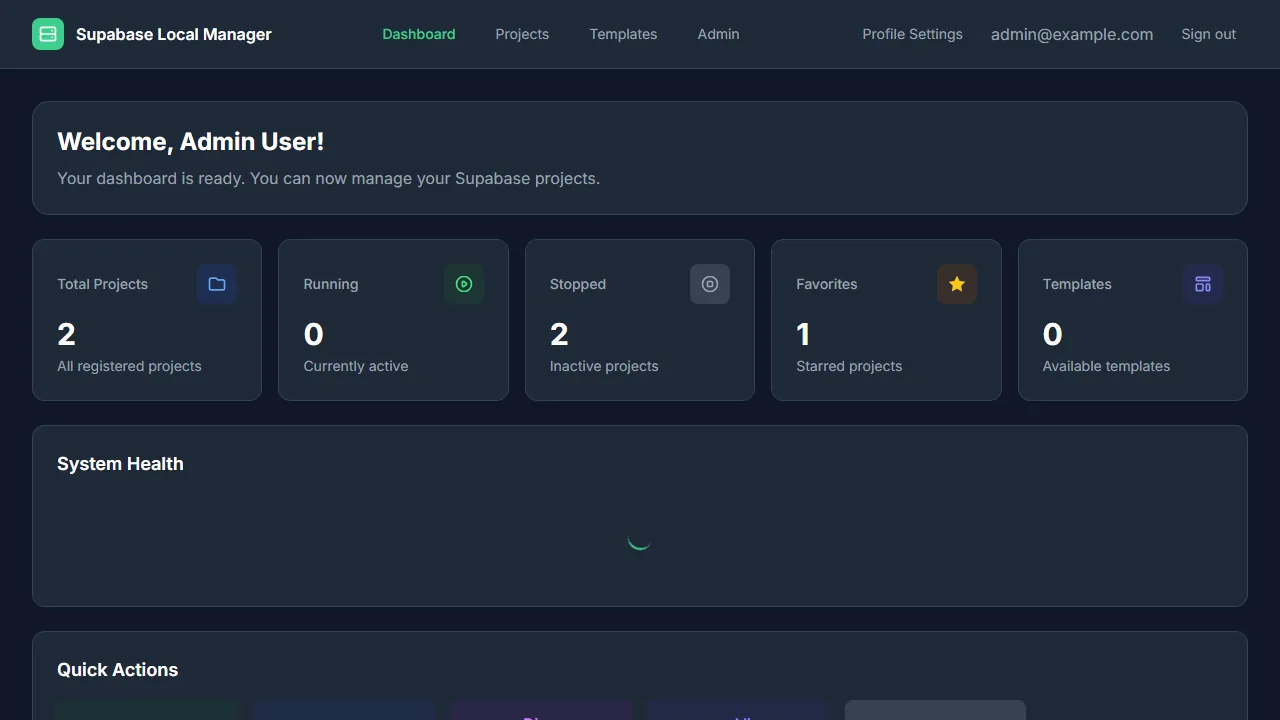
A compact view of every project and the most recent manager activity.